


Patient Maintenance
Recording the name of a Facility in a patient's record may assist you with reporting and maintenance tasks. Once the patient is added to the nursing home, you can set up an account for this patient.
 Add a patient to a nursing home
- Search and select the Patient you want to add, then tap to open the Patient Maintenance screen.
- Tap Extra Details (or <CTRL+ I>) .
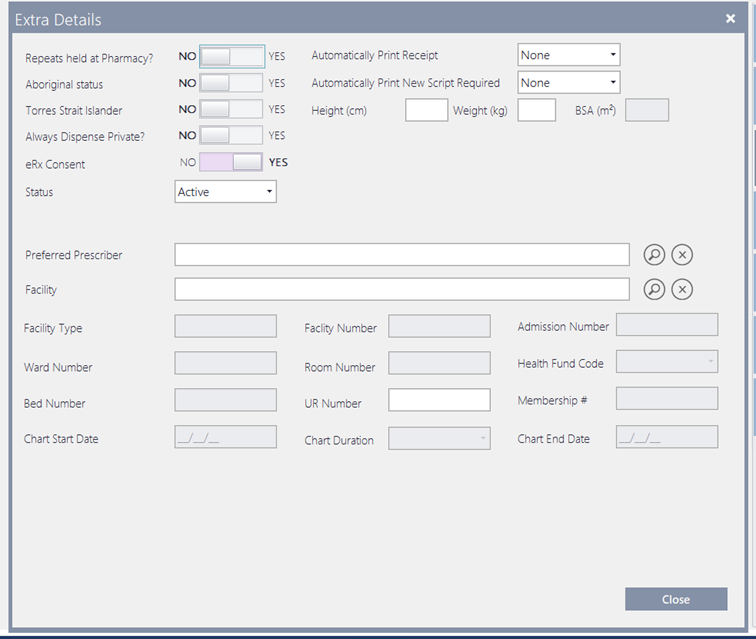
- If required, record the UR Number.
The UR Number field allows a maximum of 12 characters.
If UR information is present, it is not cleared when the Facility is changed or removed.
- Search and select the Nursing Home you want to allocate the selected patient to.
If the Nursing Home is not listed, Fred Dispense Plus prompts you through the creation of a new Nursing Home record, then assign the patient to the newly listed Nursing Home.
See also Create or update a Facility.
- Tap Close to save your changes.
To set up an account for this patient, skip to Step 4 (below).
 Fred Learning Pathways