Fred Office Plus Release 5.6
Fred Office Plus has bi-yearly releases around March and September to ensure that our customer requests and feedback can be implemented regularly. Fred Office Plus is a feature-rich back office product, that also connects to Fred Dispense Plus and Fred POS Plus.
If you have a great idea on how to make Fred Office Plus an even better back office solution for your pharmacy, let us know. See Post your Fred Office Plus idea on UserVoice for more information.
New features below that arose from UserVoice suggestions are marked with a UserVoice icon. 
What's New in Fred Office Plus 5.6?
Reporting
 Improved report toolbar
Smarter
The report toolbar now includes a quick-filter row, a column chooser, and action buttons for common tasks.
To access: Select Report > Toolbar

See Reports Toolbar for more information.
Sales Banking Summary: additional fields and Sales Analysis section
Smarter
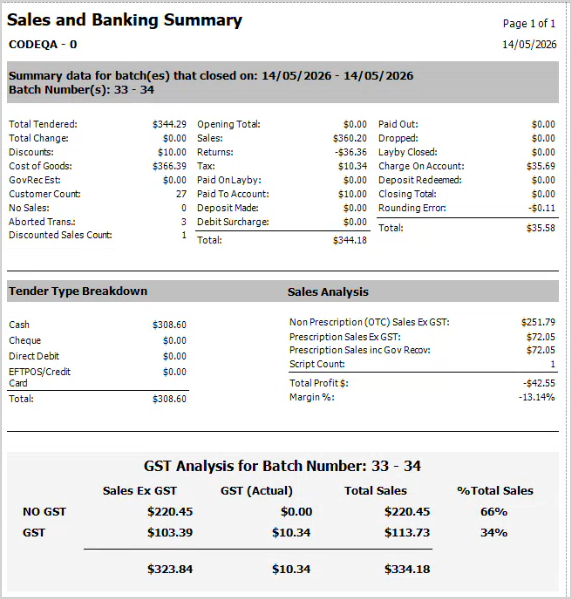
The Sales Banking Summary report has been expanded with new fields and sections. A new Sales Analysis section shows Non Prescription Sales, Prescription Sales, Government Recovery amounts, Script Count, Total Profit, and Margin %. The report also now includes Debit Surcharge, Discounted Sales Count, and Tender Type Breakdown totals, giving you a complete financial snapshot at batch close.
To access: Select Report > Sales Analysis > Sales Banking Summary
Profit and Margin % added to batch reports
Smarter
Profit ($) and Margin (%) columns are now available in the Batch Tender Details, Batch Details, and Itemised Transaction Details reports.
New Reason Codes report
Smarter
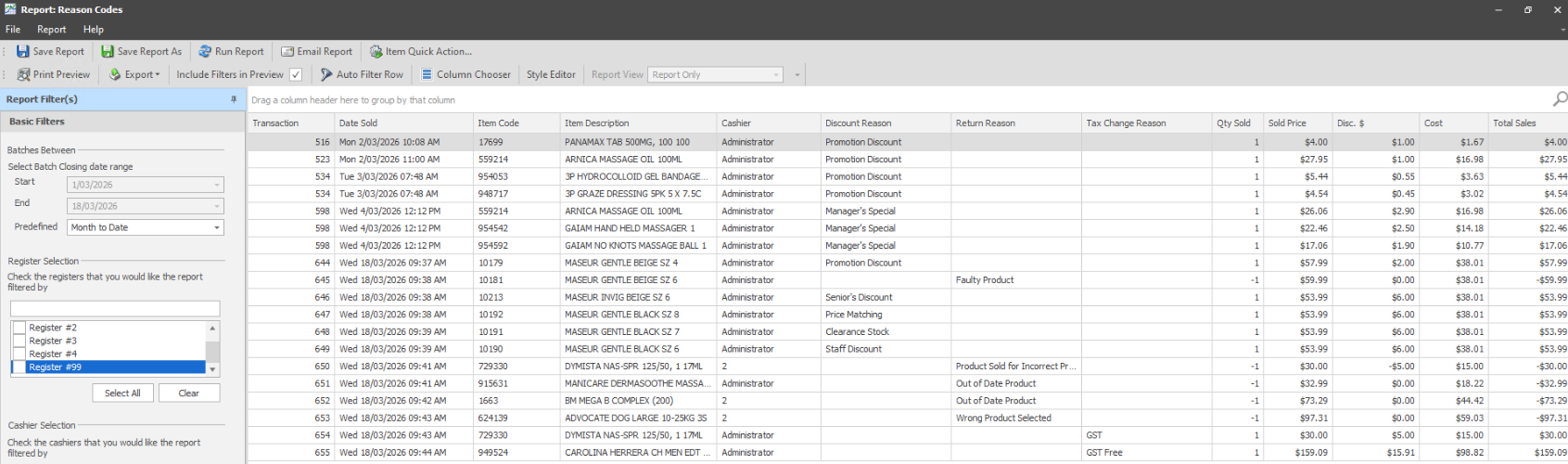
A new report lets you review transactions by reason code, with filters for Discounts, Returns, and Tax Changes. You can select multiple reason codes at once and view the associated discount amounts and costs.
To access: Go to Reports, then under Batch Reports, select Reason Codes, and then click Open Report.
Click the thumbnail below to enlarge the image.
Filter dispensed scripts by Drug Group
Smarter
You can now filter the Dispensed Scripts report by Drug Group, making it easier to review scripts for specific medication categories.
Cleaner report menus
Smarter
Actions that don't apply to built-in system reports (such as Delete, Share, and Schedule) are now hidden instead of shown as greyed-out, keeping the interface cleaner. Column lists are sorted alphabetically, and default columns are shown in bold in the column chooser so you can identify them.
Accounts & payments
Manage Account Groups from the Account Card
Faster
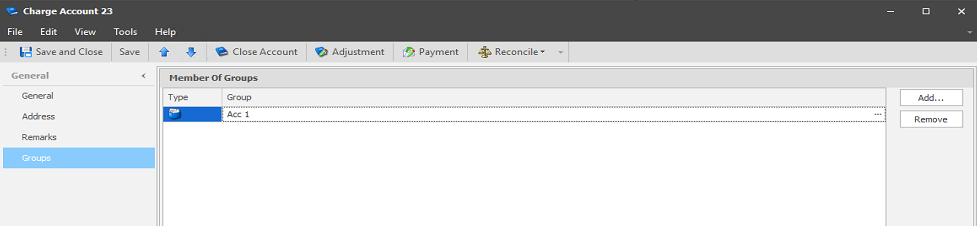
You can now add and remove Account Groups directly from the Account Card, so you no longer need to navigate away to organise your customer accounts.
To access: Select Account > Groups tab
Longer transaction remarks
Smarter
The Remarks field on transactions now supports up to 255 characters (previously 128), giving you more space for detailed notes.
Payment Importer includes BPay reference details
Smarter
When importing payments, the BPay reference from the payment file is now automatically saved to the Transaction Comments, making it easier to trace and match payments.
New POS Tender Types setup screen
Smarter
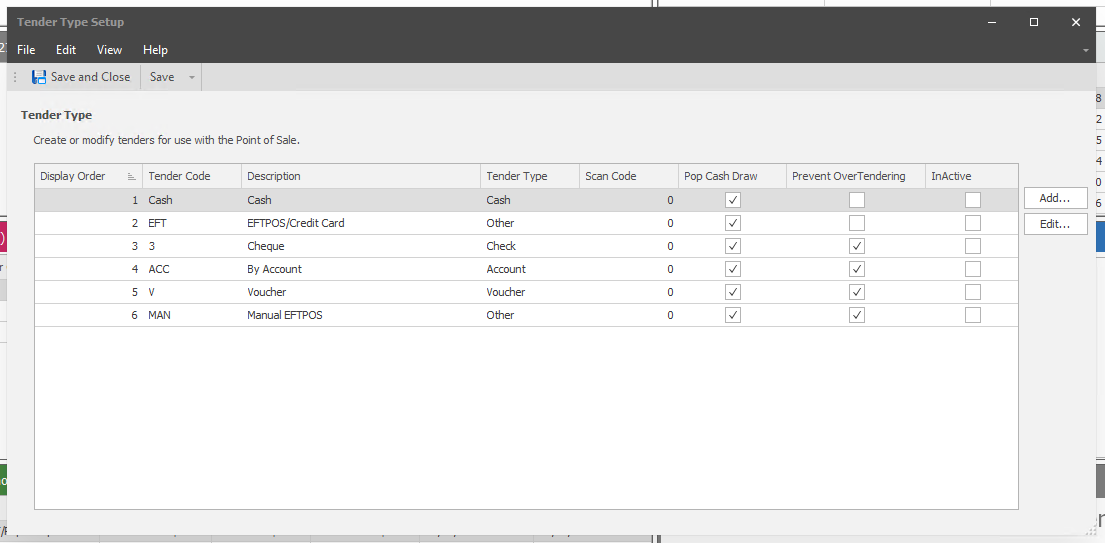
A new dedicated screen for managing your POS payment tender types is now available under the Tools menu, making it easier to view and configure the payment methods available at the Point of Sale.
To access: Select Tools > System > Tender Types
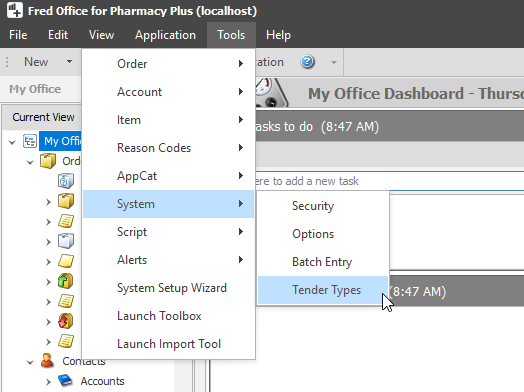
The Tender Type Setup screen shows all configured payment types.
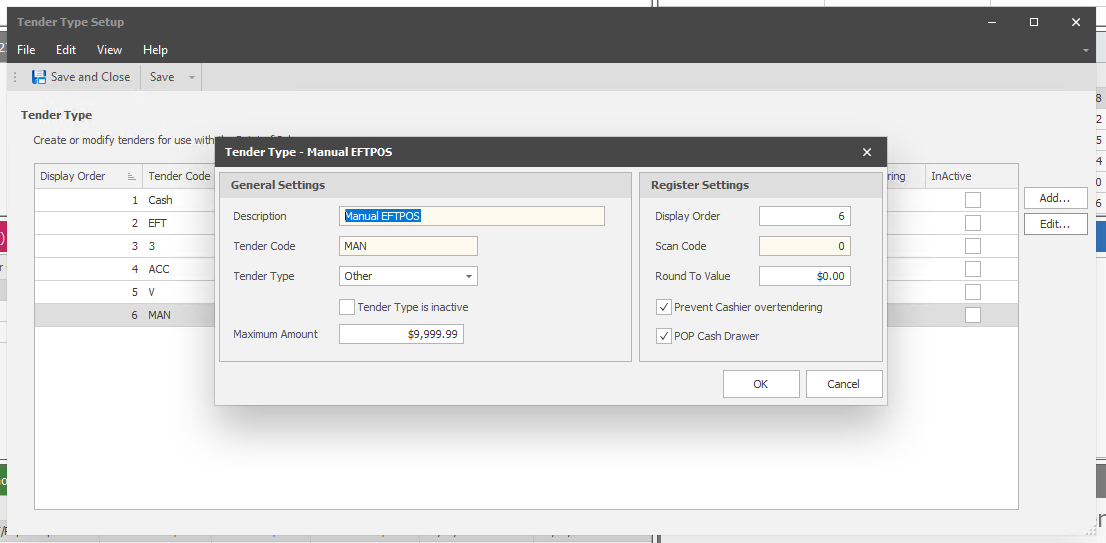
To edit an existing tender type, click Edit, then make the changes and click OK.
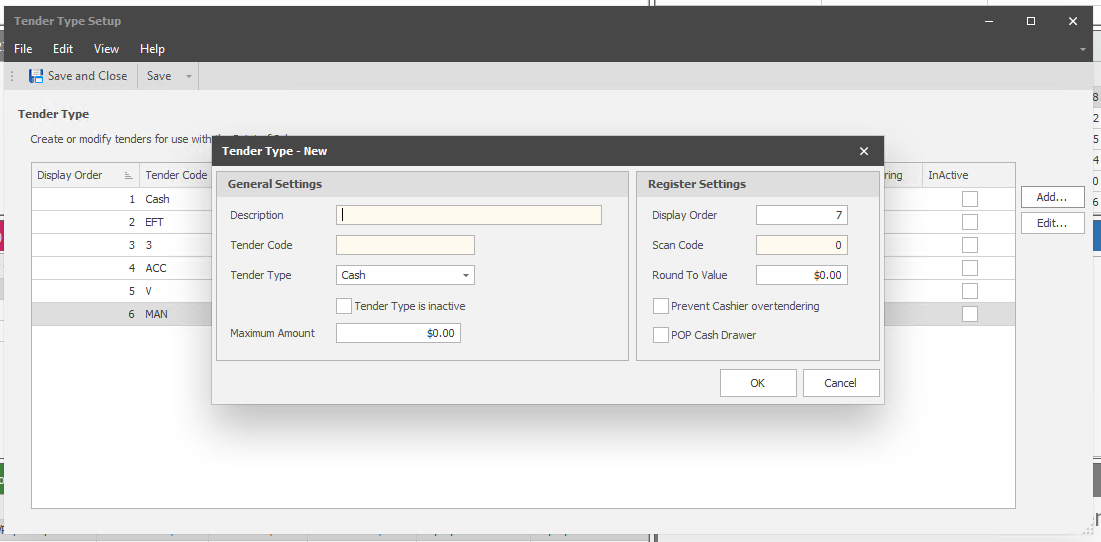
To create a new tender type, click Add, then fill in the General and Register settings and click OK.
Ordering & stock
New Order Import Wizard
Faster
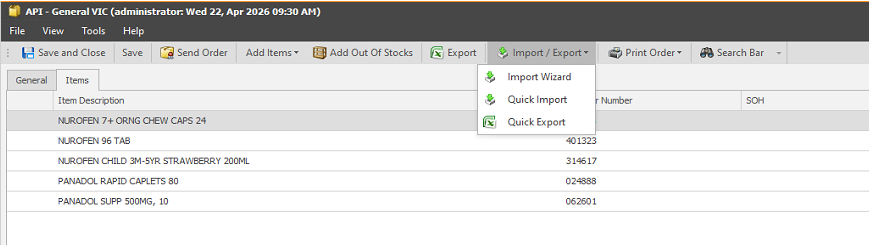
A new step-by-step wizard lets you import orders from a file, saving time when placing large or recurring orders.
To access: Select Order > Import / Export > Import Wizard
Stocktake: update available stock on hand
Faster
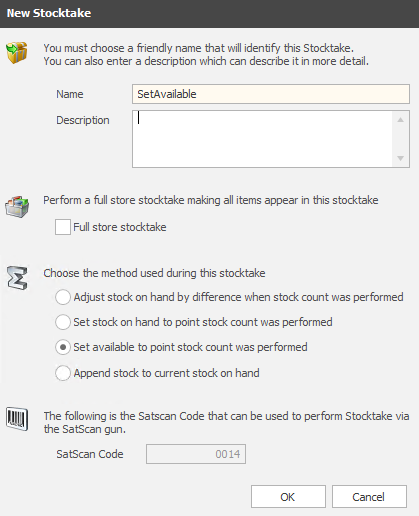
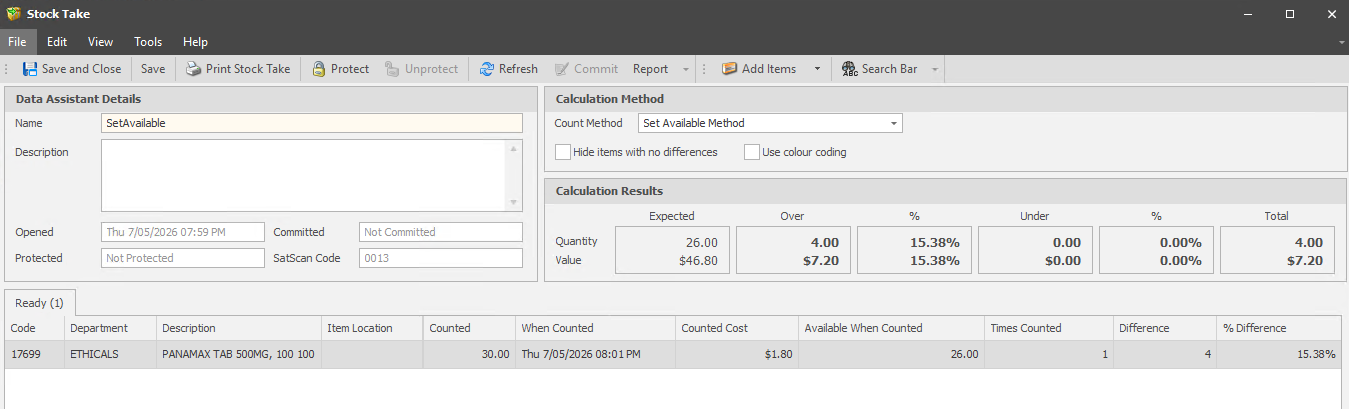
A new Set Available stocktake method has been added to support stock reconciliation workflows, including standard stocktakes, adhoc reconciliations, and robot-assisted stock management. You can update available stock on hand and commit the changes directly from the stocktake form, without needing a separate calculation step
The Set Available method will only take effect for newly created stocktakes.
DO NOT use Set Available during business hours as it doesn't adjust for sales.
For end of financial year stocktakes, we still recommend performing a full stocktake using the options under the Interactive stocktake helper.
To access: Select Stocktake > Set Available
You can commit directly from the stocktake form without a separate calculate step.
Electronic Shelf Labels (Medview Smart Shelf)
View Electronic Shelf Label status on items
Smarter
If you use Medview Smart Shelf electronic shelf labels, you can now see the label status directly on the Item screen, so you know at a glance whether the shelf label is up to date.
Shelf labels update when barcodes change
Smarter
When you add or remove barcodes from an item, the electronic shelf label is now automatically updated to reflect the change.
Administration & security
Autocharge Cashier cannot be disabled
Safer
The cashier account used for autocharge processing can no longer be accidentally disabled, preventing issues with automated charge processing.
Tasks and appointments protected from data cleanup
Safer
The nightly data maintenance job no longer removes tasks and appointments, so your scheduled reminders and appointments are preserved during routine data cleanup.
What's Fixed in Fred Office Plus 5.6?
Reporting
- Fixed a crash when generating the Dispensary Patient Locations by Suburb report
- Fixed incorrect report totals caused by multipacks not being calculated correctly
- The Statement Summary Report now shows the correct Statement Number instead of an internal ID
Accounts & customers
- Partial account returns from POS are now correctly recorded as refunds instead of sales
- Fixed missing payment types in the Account Activity type filter
- Fixed an issue where partial account payments could leave behind an incorrect credit balance in the POS payment screen
Ordering & stock
- Removed the Supplier Cost column from the Draft Import Wizard
- Fixed a crash when sending an order that had grouped columns