There are three ways to requesting drug information from AusDI in Fred Dispense. Each method launches the relevant page of the AusDI website in your default browser.
If you do not have an AusDI account, you are taken to the registration page, where you can Register for AusDI.
From the Toolbar
Click the AusDI icon to start the request.

From the Drug Information Request Screen
There are three ways to access the Drug Information screen:
- Press [Ctrl+Shift+-].
- Select Drug Information from the Activities menu.
- On the Wait screen, click the Drug Information button.
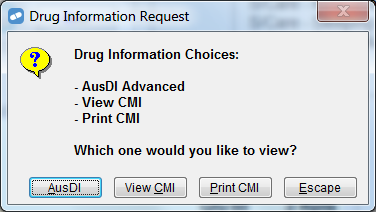
Click the AusDI button to start the request.
The AusDI button is only available if you have ticked the AusDI active checkbox on the AusDI configuration screen. For details, see Change your AusDI Settings.