Fred Office Plus Release 5.7
Fred Office Plus has bi-yearly releases around March and September to ensure that our customer requests and feedback can be implemented regularly. Fred Office Plus is a feature-rich back office product, that also connects to Fred Dispense Plus and Fred POS Plus.
If you have a great idea on how to make Fred Office Plus an even better back office solution for your pharmacy, let us know. See Post your Fred Office Plus idea on UserVoice for more information.
New features below that arose from UserVoice suggestions are marked with a UserVoice icon. 
What's New in Fred Office Plus 5.7
Dispensary & scripts
 Order template for dispensed but not yet sold stock
Faster
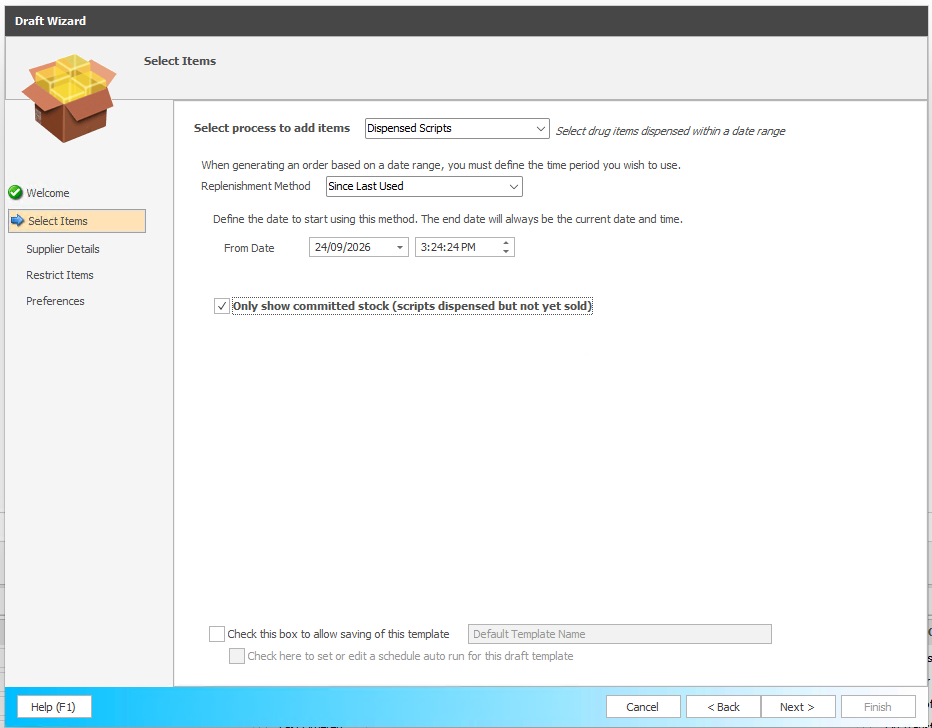
To access: Select Ordering > New > Use Wizard > Dispensed Scripts template.
A new Dispensed Scripts draft process has been added, allowing you to generate an order template containing only stock that has been dispensed but not yet sold.
Previously you could add dispensed-but-not-yet-sold items onto an existing items sold template, but there was no way to produce a template for those items on their own. The new process supports the same date selection methods as the Sold Between Two Dates process, and you can still restrict the results by supplier, department and the other existing filters.
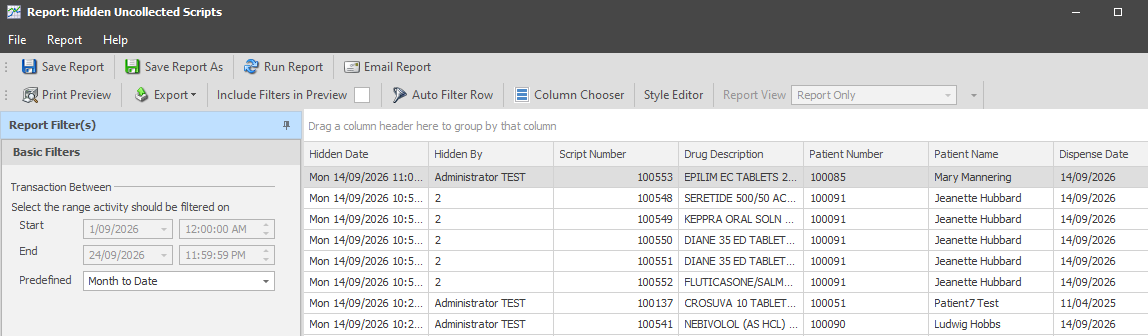
Uncollected scripts report with hidden scripts filter
Smarter
Stores can now see which scripts have been marked as hidden. A new Uncollected Scripts report has been added with a Hidden scripts filter and a date range selection, so you can track hidden scripts over a chosen period.
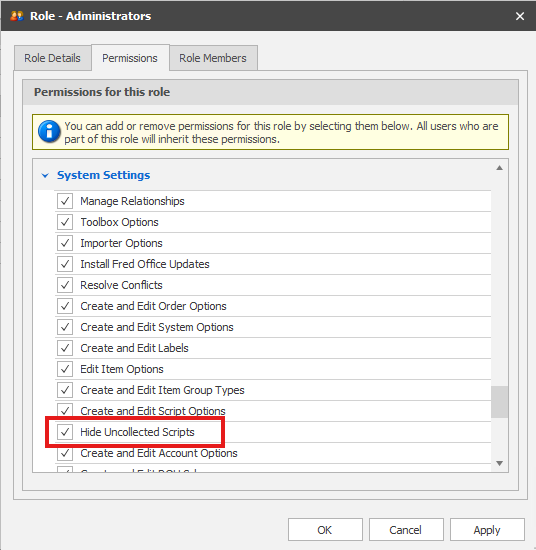
In addition, a new permission has been added to control a user's ability to hide a script.
To access: Select Tools > System > Security > Roles > Permissions.
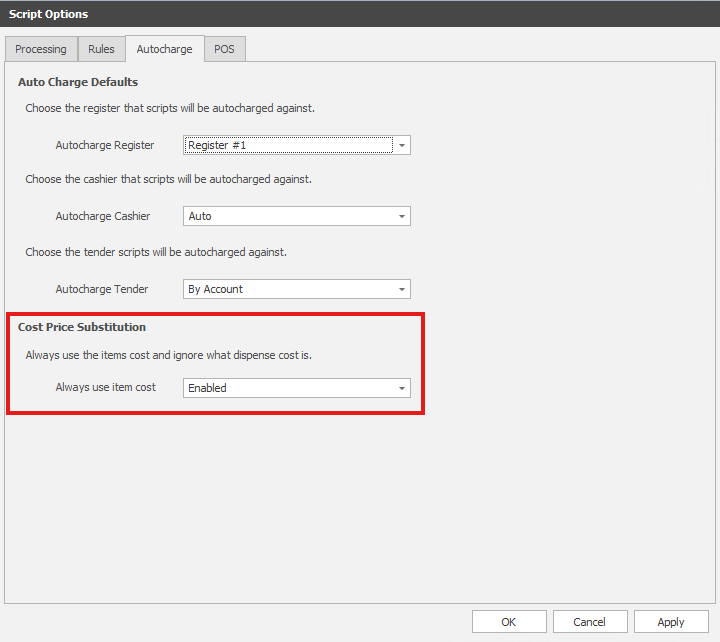
Script cost price substitution
Safer
To access: Select Tools > Script > Options > Autocharge.
When enabled, the Fred Office item cost price for a drug will be recorded when selling scripts. Previously when an item price was $0.00–$0.01, the script cost from dispense would be applied.
Electronic shelf labels (Medview Smart Shelf)
Medview Smart Shelf promotions support
Smarter
Promotion information is now included in the sync to Medview Smart Shelf, so electronic shelf labels can display richer promotional detail.
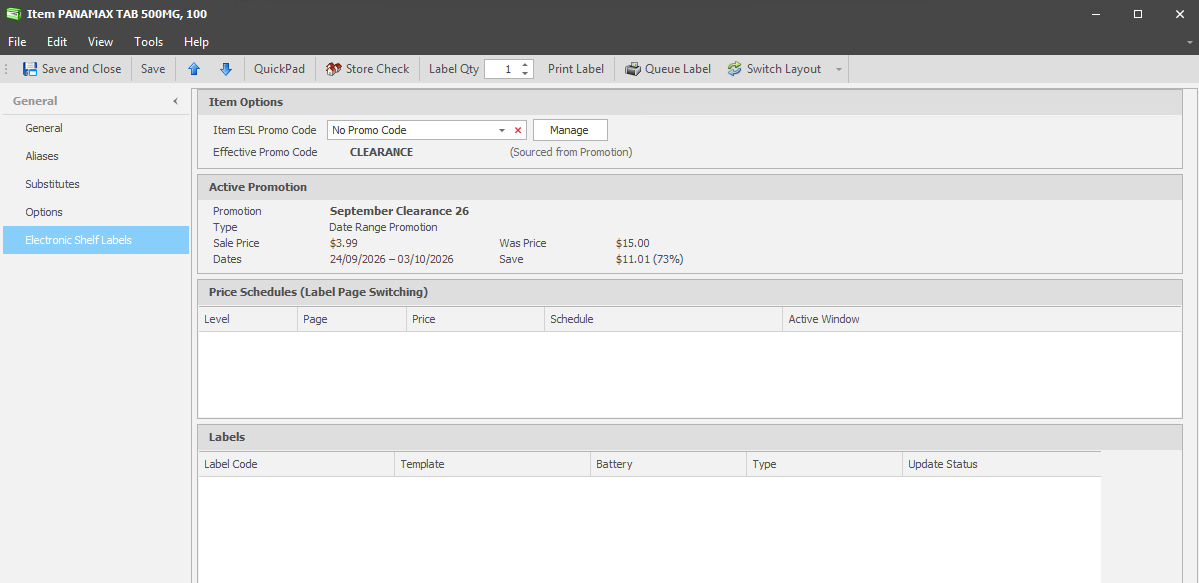
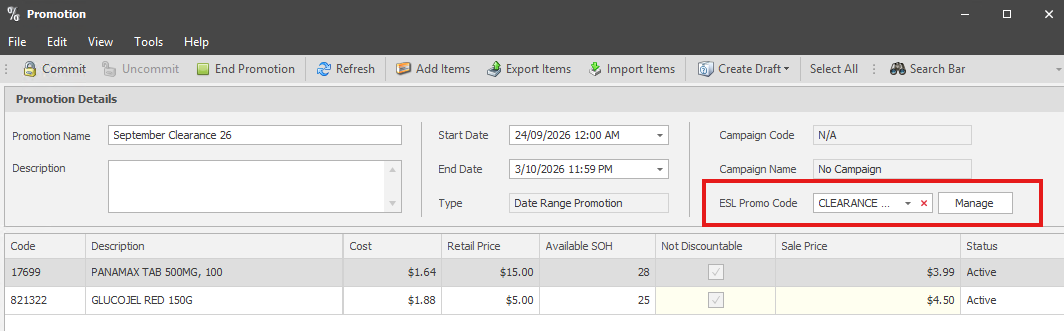
Previously only the product sale price and sale start/end dates were sent, which meant labels had no promotion name, promotion code, savings amount or was price to display. A new ESL promotion code can now be set against an item or promotion and sent to the shelf tag. (This is in preparation for onboarding MedView SmartShelf customers with additional functionality).
Item card ESL page
Promo ESL code field
What's Fixed in Fred Office Plus 5.7
Sales, banking & reporting
- Improved the generation time when opening the Sales Banking Summary report.
- Removed blank lines from Batch Entry Tender Type Breakdown panel when hiding tenders.
Ordering & stock
- Fixed a transfer invoice number clash so that invoice references are maintained.
- Opening a new invoice on a partially received purchase order no longer shows previously received lines with an invoiced quantity of 0.
- Opening an out of stock invoice from an Item card's Order History now opens in a read-only form.
- The Draft Import Wizard now handles decimal places in the Quantity column. Additionally, supplier cost can now be imported during this process.
- Column sorting in stocktakes is now persisted.
Items
- When enabled, nightly auto drug creation no longer creates own brand drugs with blank descriptions.
Customer statements
- If an item is dispensed using Blank in Fred Dispense Plus, the exact drug description entered at the time of dispensing now appears on the customer's statement.