Customer returns at the till (Fred POS Tills)
POS Tills
 Performing Refunds or Returns
Option 1: Return with Receipt (Recommended)
- Log on using your cashier ID number.
- Press the RECALL hotkey on the keyboard.
Select Recall a transaction for return and press Enter.
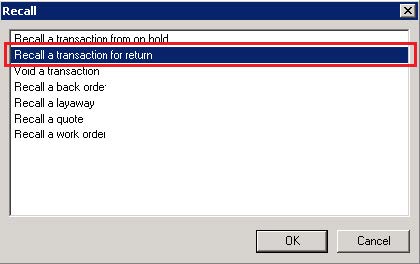
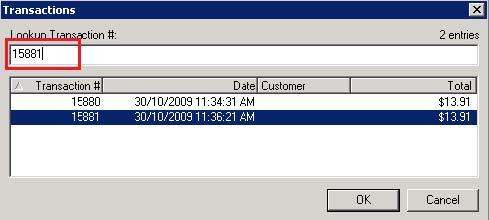
- Select the date range the transaction occurred between (or Enter if today's date).
Type or Scan the transaction number found on the receipt then press Enter.
The entire sale is displayed on screen, marked in red to indicate they are being returned.
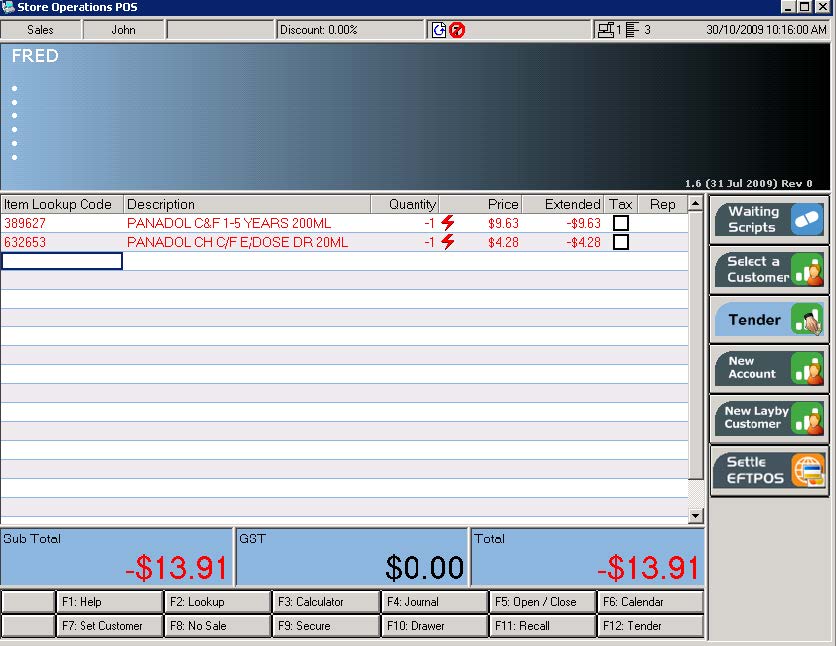
- Remove any items not being returned from the transaction.
- Tender the sale as per regular procedure.
Option 2: Return Individual Item
- Log on using your cashier ID number.
Press the RETURN ITEM hotkey on the keyboard.
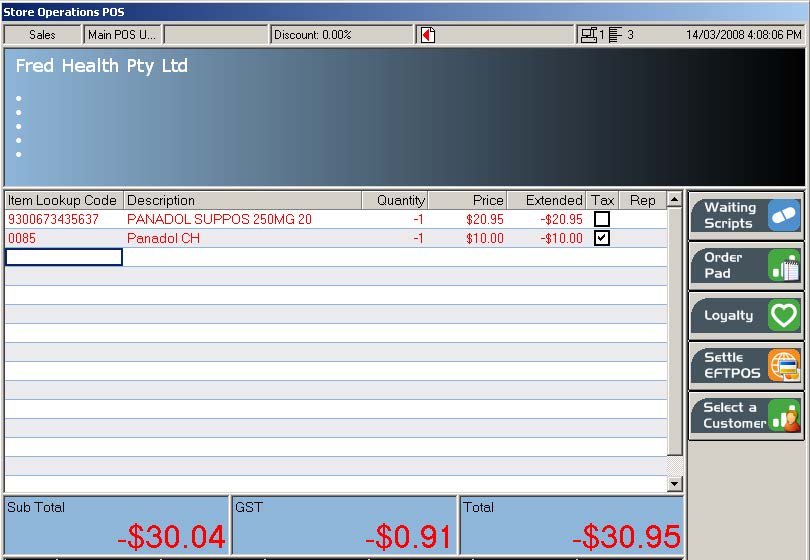
- Scan the items to be returned.
- Tender the sale as per regular procedure. See General selling at the till (Fred POS Tills).
Option 3: Perform an Exchange (Sale & Return in a single transaction)
- Log on and Scan items to be sold.
- Press the RETURN ITEM hotkey on the keyboard.
Scan the items to be returned.
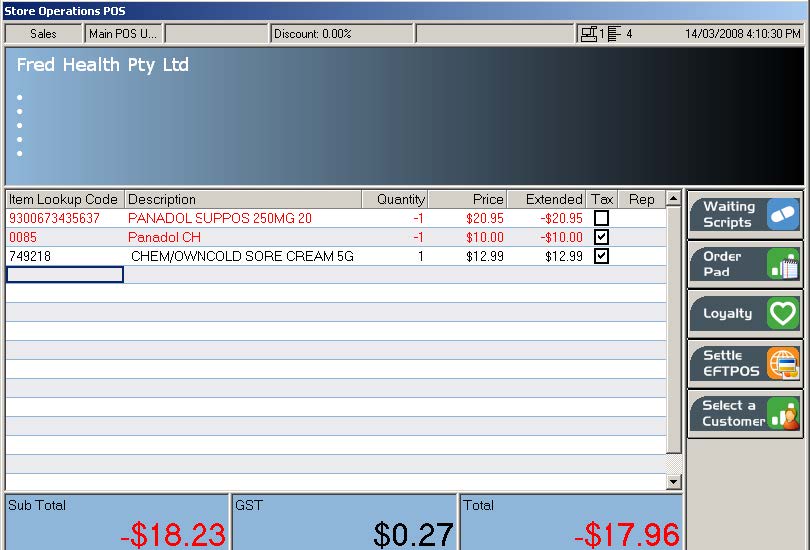
Tender the sale as per regular procedure. See General selling at the till (Fred POS Tills).
This method will result in either a refund or payment of the difference. Once the sale is processed the return mode will automatically turn itself off, so as to not affect the next transaction.