Release Notes
New in Fred Dispense Plus
Fred Dispense Plus automatically applies both software and drug updates. No user intervention is required, but please ensure that your server PC is always switched on as automatic updates are applied outside of business hours.
UserVoice suggestions
A number of the features and enhancements in this release are in direct response to feedback from our customers who have submitted suggestions via UserVoice. The features below with a UserVoice icon include a link to the original UserVoice request.
If you have a great idea on how to make Fred Dispense Plus an even better way to dispense, let us know. See Post your Fred Dispense Plus idea on UserVoice for more information.
Variable Font Size for Directions on Labels 
Fred Dispense Plus now supports configurable font sizing for directions on the main dispense label. This improves readability and ensures that longer text fits within the available label space.
You can configure minimum and maximum font size for Directions on the main dispense label from Setup > Dispense Options > Labels. The default settings are shown below.
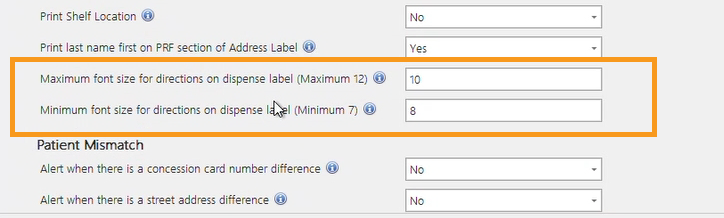
The font size will automatically scale to fit the available space while staying within the configured limits.
 Show me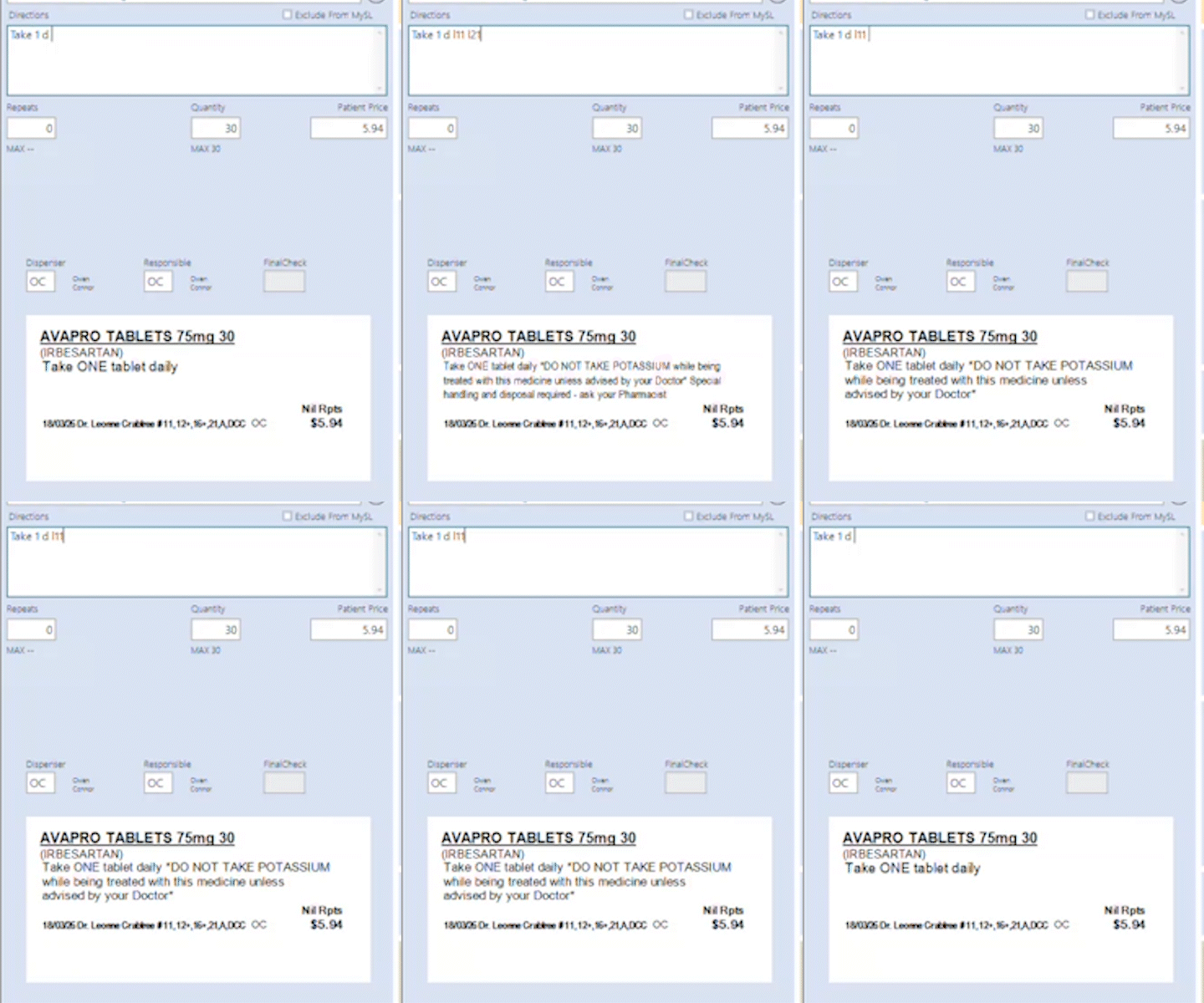
The Drug Description font size on the main dispense label now scales automatically depending on the length of the description.
The Coding Sticker now prints the drug description for Question Mark Dispensing.
The Repeat authorisation form directions font size has been increased for improved readability.
See UserVoice item .
Hidden Drugs
A new Hidden Drugs feature allows users to control the visibility of drugs in search results. Drugs can be marked as hidden, so they do not appear in standard drug searches, reducing clutter and helping staff find the correct products faster.
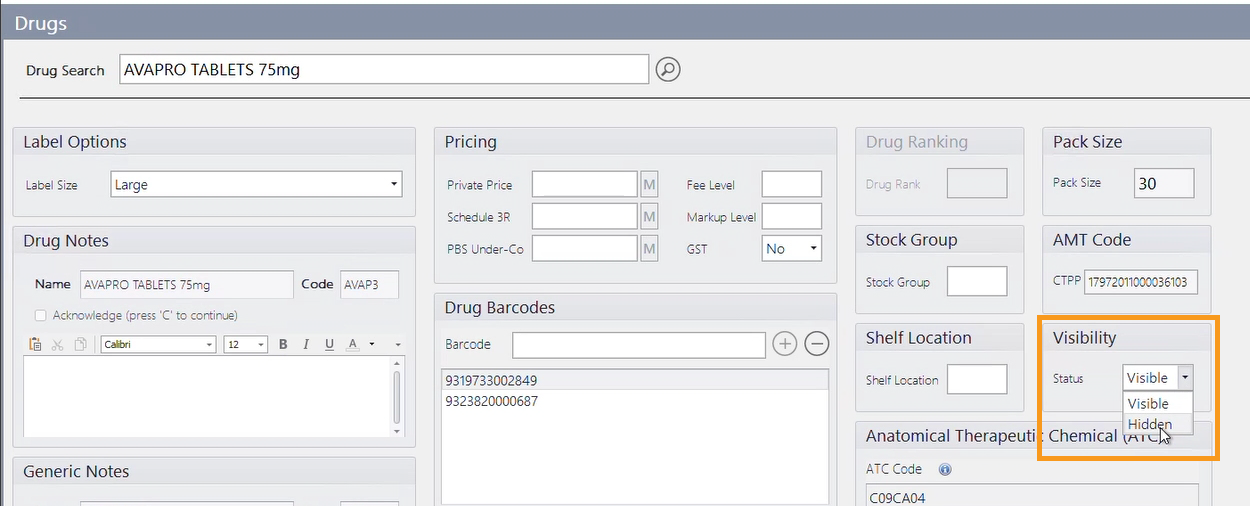
Drugs can be set to Hidden or Visible status via the drug record.
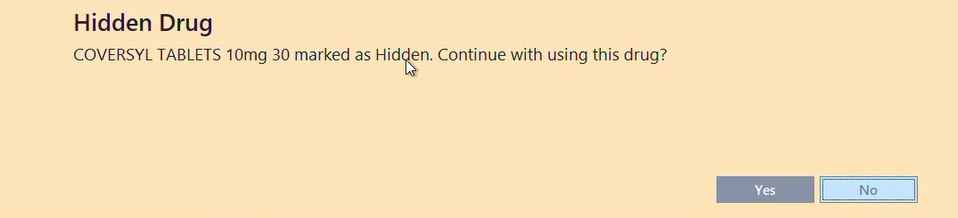
When a user attempts to dispense a hidden drug, a prompt is displayed to confirm the selection.
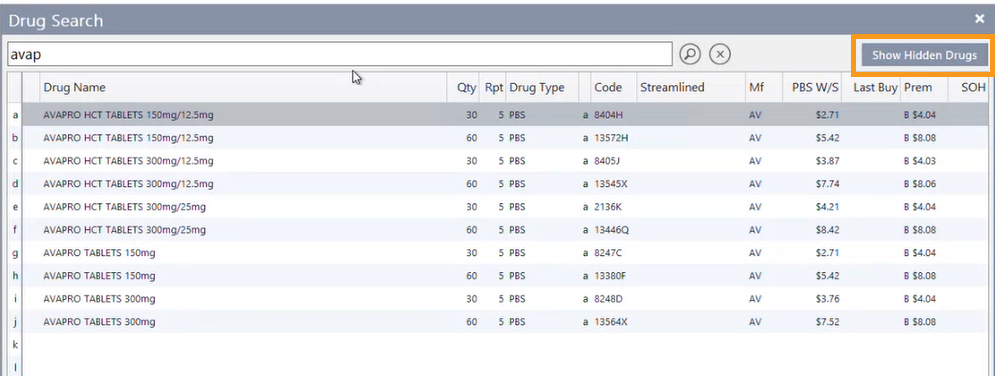
A new Show Hidden Drugs button has been added to the drug search results screen, allowing you to include hidden drugs in search results when needed.
The List of Drugs Report now includes a Visibility column.
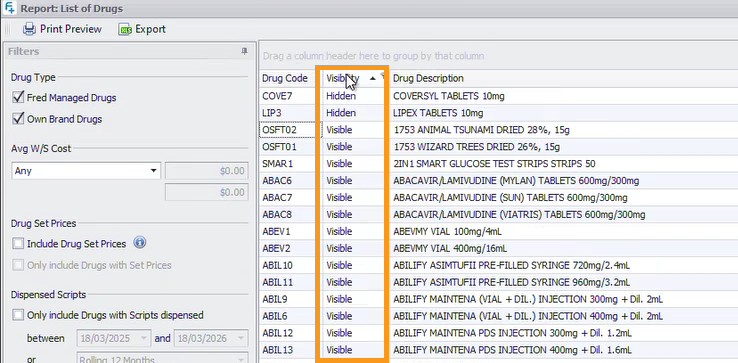
An option to export the Visibility status to Excel has also been added.
Drug visibility status can be imported via Excel file from the Activities menu, with full validation and a summary report.
Hidden Drugs are controlled by Head Office for pharmacies using Fred NXT Office.
See UserVoice item and UserVoice item .
Other Enhancements
-
Patient History Notes now display above dispensed scripts in the patient history, making them more visible.
See UserVoice item . -
History by Facility report now sorts patients by Surname.
-
Robotic Drug List now includes a Generic column.
-
Supplier CH2 has been renamed to ParagonCare.
-
Improved drug selection validation for Repat Unlisted Authority items in eMedChart.
Fixed in Fred Dispense Plus
-
Fixed an issue where the dispense label did not print with an asterisk for scripts charged to account.
-
Fixed an issue with the dispense label where the first character was not appearing when a group of sequential characters were pushed to a new line.
-
Fixed a Script Audit bug for ScanCheck events.
-
Fixed an issue where drug rank was incorrect when robotic functionality was enabled.
-
Fixed an issue that could cause Fred Dispense Plus to freeze.
 Fred Learning Pathways