This report checks for possible issues with patients' stored Medicare Numbers, such as missing, invalid, duplicate, and expired Medicare Numbers.
-
From the Reports menu ([Alt+R]), select Patient ([P]), then select Medicare Validation (M).
The Patient Medicare Validation Report window is displayed.
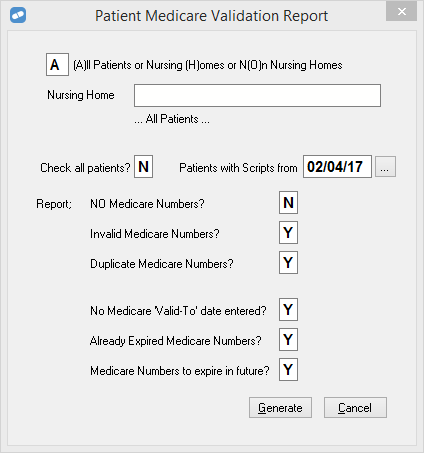
- Specify the details to include in the report.
- To run the report, select Generate, or press [G]..